 Shoupapp
White background product photos are the plain, isolated shots marketplaces expect for every listing. This run started from one catalog photo of a model in the field and turned it into a clean cutout, a new lifestyle scene, and a short video — all from the same source image, without a reshoot.
 Before: the photograph the merchant uploaded
 After: the same product in a new scene
What Are White Background Product Photos, and Why Do Marketplaces Require Them?
A white background product photo is a listing image with the product isolated on a plain white or transparent field — no props, no shadow unless you add one back deliberately, nothing behind the item but empty space. Marketplaces ask for this because it puts every seller's photo on the same footing and lets a thumbnail read clearly at a small size. Skipping this step often means a listing gets rejected on upload, or looks inconsistent next to competitors' clean product shots.
Getting there usually starts with a bulk background remover that strips the background from an existing photo instead of requiring a new shoot. That's what happened with the photo behind this article: a catalog shot of a model wearing an orange fleece jacket on a plain backdrop went in, and a clean cut-out of the jacket and vest on a transparent background came out — ready to drop onto white, or onto anything else.
The same run also produced a new lifestyle scene and a short video from that one photo, which we'll get to. But the starting point for almost every marketplace listing is still the plain, isolated cut-out — the white background product photos a buyer sees first.
How Do You Get a True White Background Without a Studio Shoot?
Most catalogs already have a usable photo — the problem is the background, not the product. A studio reshoot means booking time, printing labels, and photographing every SKU again just to fix a backdrop.
An automated background remover works from the same photo already in your catalog, including ones like today's proof photo where the product is worn by a model rather than laid flat. It reads the outline of the item, separates it from the model and the setting, and hands back a cut-out with a transparent background you can drop onto white, a color, or another scene.
Once the product is isolated, a couple of finishing touches make it look intentional rather than clipped. A product shadow generator adds a soft, consistent shadow under the item so it doesn't float on the page. A free online photo editor for ecommerce handles any small touch-up — straightening a crooked crop, nudging color, or cleaning up a stray edge — without opening a separate design program.
None of this requires a prompt or a design brief. Each step is a plain-language preset you apply to a photo, and the same preset applies the same way across a full folder of images.
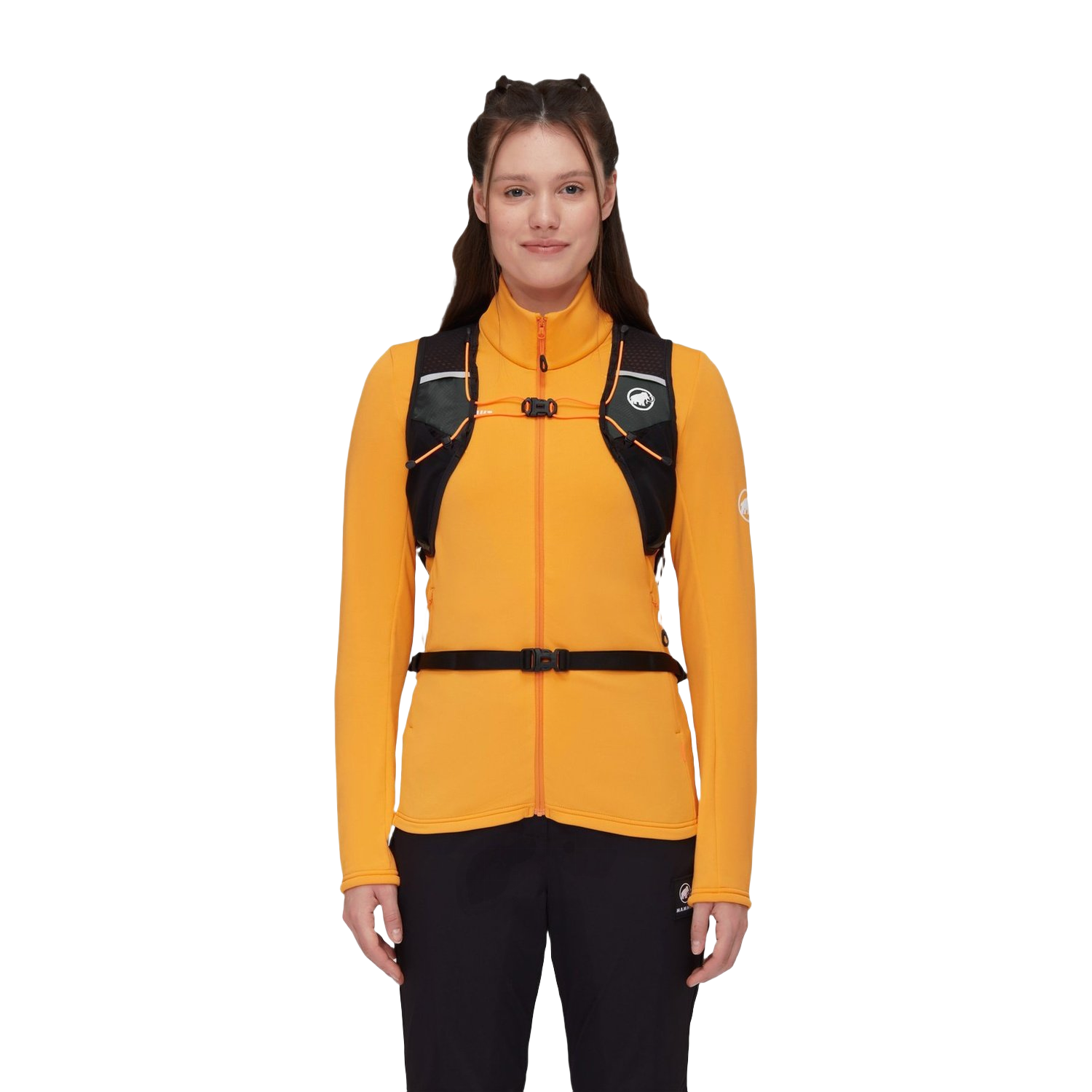 The same product, cut out and ready to place on any background
What Counts as a Compliant White Background for Amazon, Google, Shopify, and Etsy?
Every major marketplace publishes its own image rules, and they don't all say the same thing. Reading them in words, rather than guessing from another seller's listing, saves a rejected upload later.
- Google Merchant Center asks for a clear, uncluttered product image, generally against a plain background, with the product taking up most of the frame. See the Google Merchant Center image requirements for the full list of what triggers a disapproval.
- Amazon requires the main image to sit on a pure white background for most categories, with no added text, watermark, or props in frame. The Amazon product image requirements page spells out the exceptions by category.
- Etsy is more relaxed about background color but still expects the item to be the clear focus of the shot. The Etsy image requirements and best practices page covers what sellers there tend to get flagged for.
- Shopify doesn't enforce a background rule at the platform level, but most themes display product photos on a white card, so a plain cut-out still looks most consistent there.
The safest habit is to keep one clean, transparent cut-out per product and generate whichever background each channel needs from that same master file, rather than re-editing from scratch for each marketplace.
How to Batch White Background Product Photos Across a Whole Catalog
A single clean cut-out is easy. A catalog of a few hundred SKUs is where most teams lose real time to manual editing or outsourced retouchers.
The fix is to treat background removal as a rule, not a one-off task. Upload a batch of photos, apply the same background-removal and shadow preset to the whole set, and export every file in the size and format each marketplace expects. Newer product photos can run through the same rule automatically as they're added, instead of being queued up for editing later.
Bulk image processing covers exactly this: rules that run on upload or on a schedule, across a whole catalog, without touching each photo by hand. If a photo also needs color or exposure correction before the cut-out — a common issue with photos shot in a warehouse or a fitting room — an AI product photo enhancer can run first in the same batch.
This is the difference between a studio service and a tool that fits how a catalog actually grows: new SKUs arrive every week, not once a season, and the editing has to keep up without a new invoice for every batch.
From One Photo to a Full Listing: Cut-Out, Lifestyle Scene, and Video
Today's proof photo is a good example of what one uploaded photo can turn into. The original shows a model wearing an orange fleece jacket and a hydration vest, shot the way most catalog photos are — a person, a product, a plain setting behind them.
From that single file, the same run produced three things: a cut-out of the jacket and vest with the background removed, a new vertical photo that places the model in an entirely different outdoor scene, and a short video of that new scene with a slow camera push-in. None of these needed a second photo shoot or a new model booking.
The cut-out is what feeds a white background listing image. The lifestyle photo and video are what an AI product photo background generator and an AI product video maker are for — turning the same approved product into a scene built for a social feed or an ad, rather than a marketplace grid.
The point isn't that every photo needs all three. It's that a catalog only has to be photographed once. Everything after that — the white background version, the seasonal scene, the short clip — comes from editing, not reshooting.
Step-by-Step: Turning a Catalog Into White Background Product Photos
Here's the practical sequence most catalogs follow to get consistent white background product photos at scale.
- Collect your existing catalog photos — including any where the product is worn or held by a model, not just flat lays.
- Run the batch through a background remover to produce a transparent cut-out of each product.
- Apply a shadow preset so the product sits on the page rather than floating.
- Check each marketplace's image page — Google, Amazon, Etsy, or Shopify — and export the cut-out onto the background color and size each one requires.
- Spot-check a handful of results for edge quality, especially around fine details like straps, laces, or reflective trim.
- Save the rule as a preset so every new product photo added later runs through the same steps automatically.
Most teams run this once as a test batch, then set the same rule to apply automatically to every new product photo added afterward, so the catalog stays consistent without repeating the work by hand each time.
What Else Can You Do With the Same Cut-Out?
Once a product is isolated, it doesn't have to be isolated again for every other use.
The same cut-out can seed a size chart graphic, sit inside a seasonal AI product banner maker template, or become the base layer for an AI virtual try-on image where a buyer sees the item on a model without booking a second shoot. A 360 product spin can also start from a set of angle photos processed the same way, giving shoppers a turntable view built from stills instead of a filmed spin.
For catalogs that also sell through social feeds, the vertical lifestyle photo and short video from today's run are the other half of the same job — proof that one uploaded photo can carry a plain marketplace listing and a scroll-stopping post without shooting either separately.
None of this locks you into one output. The transparent cut-out is the master file; everything downstream — white background, colored background, lifestyle scene, banner, spin — is a different preset applied to the same source.
How Do You Keep Control When Editing Runs at Catalog Scale?
Handing a whole catalog to an automated process only works if you can trust what comes back.
- Original photos are never overwritten — every edit is saved alongside the source file, so you can always go back to the photo you uploaded.
- The service is run by an EU company, which matters if your team needs to know where a vendor is legally based, not just where a server happens to sit.
- A job that fails — a bad crop, an edge that didn't separate cleanly — refunds itself rather than leaving you to notice and dispute it later.
That matters especially for agencies running catalogs for multiple client brands, where a mistake in one batch shouldn't affect another client's photos. That combination is what makes it reasonable to run background removal, shadows, and scene generation across an entire catalog rather than testing it on a handful of hero images first. Pricing for that kind of run is on the pricing page, and the full list of editing tools — background removal, shadows, enhancement, video, and more — is on the products page.
See it on your catalog before deciding whether it fits how your team already works.
Frequently asked questions
Do I need a photographer to get white background product photos?
No. If you already have a usable photo of the product — even one where it's worn or held by a model — a background remover can isolate it without booking a new shoot. That's the same photo used as today's example: a model wearing the item, turned into a clean cut-out afterward.
Will a white background photo work for every marketplace?
Mostly, but the exact rule differs by channel, so it's worth checking each one directly rather than assuming. Amazon and Google both publish detailed image requirements, while Etsy is more flexible about background color as long as the product is the clear focus of the frame.
What if the product in my photo is worn by a model rather than laid flat?
That's not a problem. Background removal separates the product from the model the same way it separates it from a backdrop — which is exactly what happened with the jacket and vest used in today's proof photo.
Can the same catalog photo be used for more than the white background image?
Yes. One clean cut-out can also seed a lifestyle scene, a short video, or a try-on image, so a single uploaded photo covers more than just the plain marketplace listing it started as.