 Shoupapp
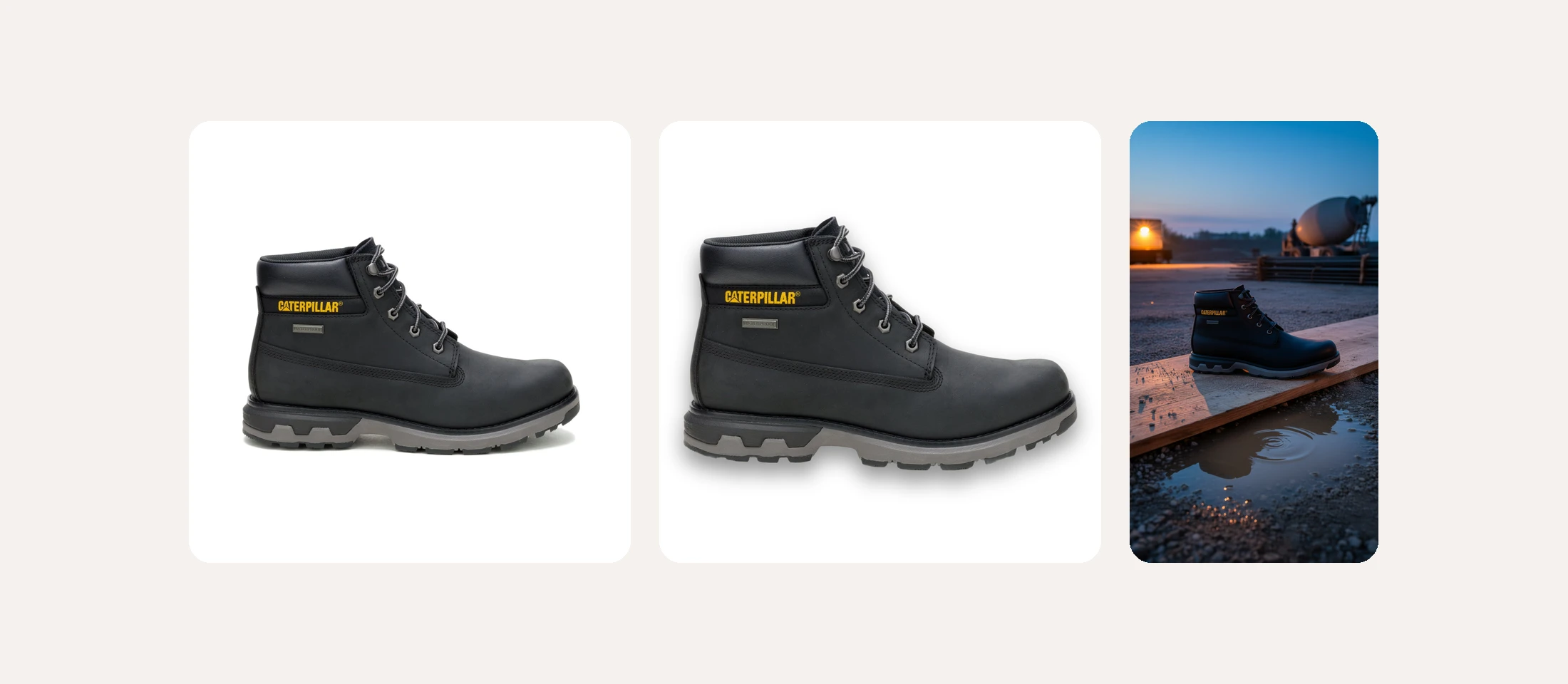
Black product photography is hard for a simple reason: black absorbs light. A black boot, bag or appliance that looks fine on the shelf turns into a flat dark shape in a catalog photo. Most guides explain how to light dark products in a studio. This one starts where most stores actually are: with a photo that already exists. We took one black leather boot and measured what happens to it at each editing step, so you can see which settings help and which ones make it worse.


Problem one: the leather looks flat
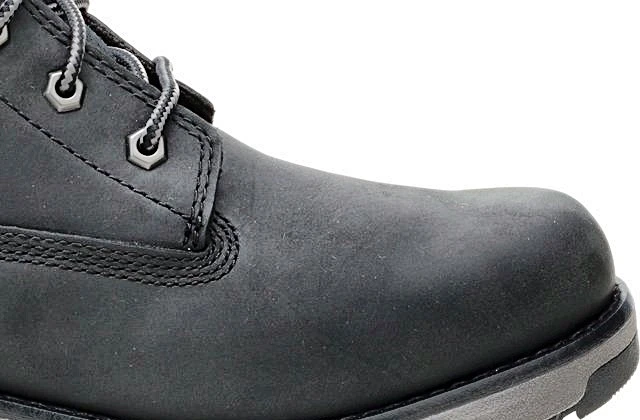
In the original photo the upper reads as one dark surface. The grain of the leather and the stitching are there, but too close to black to see on a phone screen. On average, the boot sat at 65 on a brightness scale where 0 is black and 255 is white.
We ran the AI product photo enhancer at its three strengths and measured the boot area each time:
| Strength | Average brightness | Local contrast | Share of near-black pixels |
|---|---|---|---|
| Original | 65 | 34 | 5.0% |
| Soft | 83 | 42 | 5.6% |
| Medium | 86 | 45 | 6.7% |
| Hard | 91 | 51 | 8.9% |
Local contrast is what makes texture visible, and it rose with every step. The catch is the last column. The stronger the enhancement, the more of the deepest shadows turn fully black, so the creases and the area around the sole start to lose detail. For black products, medium was the balance point in our test: the grain and stitching appear clearly, and only a little more of the boot goes to pure black.

Problem two: the shadow disappears under a dark sole
A shadow helps a product sit on the page. Under a dark outsole, a light shadow simply merges with the sole and the product looks like it is floating again. We cut the boot out with the bulk background remover and tried the presets from the product shadow generator.


Contact, which works well for most products, was nearly lost here. Soft was better, and Soft with the opacity raised to 45 percent in the Custom setting gave a clear, natural base. The general rule: the darker the bottom of the product, the softer and stronger the shadow needs to be. For angles and footwear in particular, see which shadow suits each shoe angle.
Problem three: a dark product in a dark scene
Lifestyle scenes are where black products most often vanish. A black boot on dark gravel at night is a black shape on black. The scene in this example was made with an AI product photo background generator and avoids that in two ways: the boot stands on a pale wooden plank, and the light of the blue hour picks out the edges of the upper and the grey midsole. When you choose a scene for a dark product, check three things:
- The surface directly under the product is lighter than the product.
- There is a visible light source or a bright sky that outlines the product's edges.
- The darkest part of the scene is behind or beside the product, not under it.
Problem four: the video looks away from the product
From the scene, an AI product video maker made a ten second vertical film with three shots. Two show the boot. The middle one is a close-up of the concrete mixer in the background. It sets the mood of a building site, but for a product page that cut takes attention away from the product.
For ads and stories, a cutaway can work. For a product page or a marketplace video slot, choose a single take that stays on the product the whole time. Review every generated video before it goes live, just as you would a photo.
A settings card for black products
| Step | What worked for the black boot | Why |
|---|---|---|
| Enhance | Medium, not Hard | Texture appears without crushing the deepest shadows |
| Background removal | Default, then check the edges | Dark edges against white show every flaw |
| Shadow | Soft, opacity raised in Custom | A light shadow disappears under a dark sole |
| Scene | Light surface under the product | Black on black loses the outline |
| Video | One take on the product | Cutaways pull attention away on product pages |
Save these settings as a preset or as a rule in bulk image processing, and every dark product in your catalog gets the same treatment. The order these steps run in is explained in batch edit product photos. Originals are never overwritten, costs are on the pricing page and every tool is on the products page. The best test is your own darkest products: see it on your catalog.
Dark product questions
Should black products go on a black background?
Only for brand or campaign images. Marketplaces and most stores show products on white, and a black product on white sells the shape clearly once the texture and shadow are right.
Why not always use the strongest enhancement?
Because on dark products it pushes the deepest shadows to pure black. In our test, the share of near-black pixels on the boot rose from 5 percent to almost 9 percent at the strongest setting.
Does this apply to navy and dark brown too?
Yes. Any product whose main color is close to black behaves the same way: check texture after enhancement and make the shadow stronger than you would for a light product.